
Centralized management
Vaidio Command Center: multi-site camera management
Vaidio Command Center brings cameras across branches into one central screen: maps, event alerts and search across every site.
The real-world problem
Cameras at each branch sit on separate recorders: checking the situation means logging into each site or calling staff to replay footage. Command Center connects every site into one interface: maps, live alerts and cross-site search, with AI still running at each site on its own server.
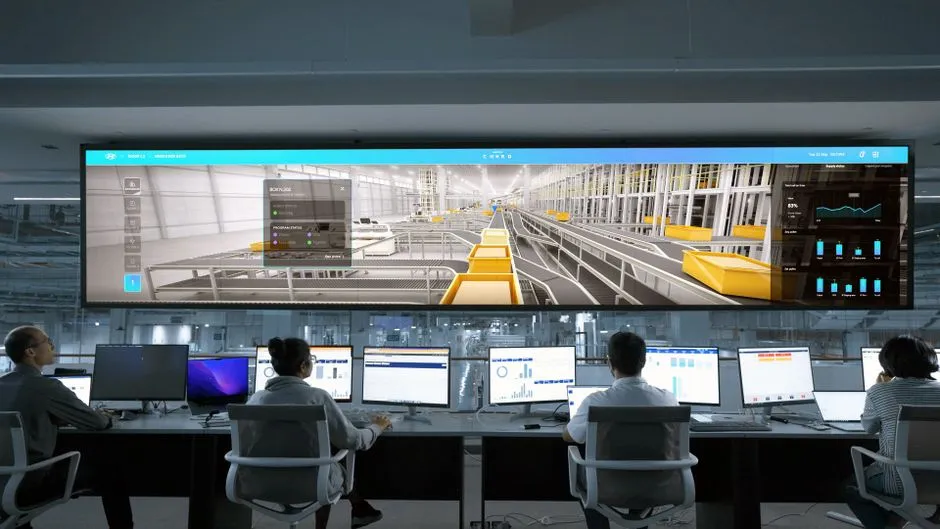
24 sites · 3 new alerts
Live map · 14:32:05
How it works
01
Connect sites to one center
Each site runs a Vaidio Core server or edge device and registers as a node of the center with an access key. From the dashboard the center approves nodes, tracks connection status, issues licenses, backs up configurations daily and upgrades Core nodes remotely. A federation architecture links each site straight to the center while sites keep running independently; one center manages over 100 nodes depending on network traffic.
02
Monitor on one shared interface
AI analysis runs at each site; the center receives alerts with event images (originals stored at the center, or only links kept with images at the site, by configuration), plots them on the map and searches across every node. The interface has a Vietnamese version.
03
Coordinate alerts from the center
A stranger intruding, an object left behind, a wrong-way vehicle: events from every site arrive on the center's alert board in real time. The center can set its own rules on top and push notifications to the right team at each site.
Real-world applications

Retail chains
Every store's cameras and alerts on one map; shared face and plate lists across the chain.

Multi-plant operations
One center watches several factories; licenses issued and managed centrally.
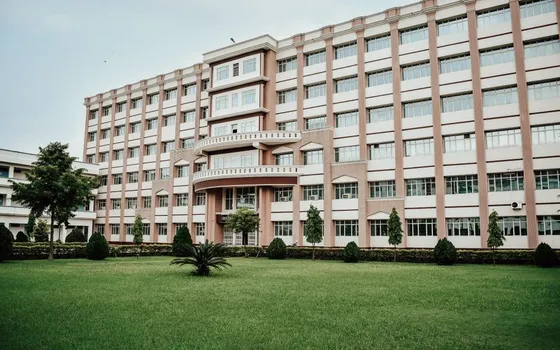
Multi-campus schools
Security teams watch every campus from one office.

Large hospitals
Restricted-area and waiting-room alerts from all buildings in one place.

Shared face and plate lists
A person registered once is recognized at every site in the chain.
What you get
The whole estate on one screen
Cameras, alerts and connection status of every site show at the center; failing sites and live events are visible without calling around.
One incident searched across the chain
Central search sweeps up to 500 cameras per search with filters for time, object type and attributes enabled at each site.
Alerts assigned and closed out
Each alert carries a status of new, acknowledged or resolved; history filters by date, rule, camera and object type to follow through.
Sites keep running on their own
One site losing its link does not stop the rest of the system; it keeps analyzing and alerting locally, and its license restores on reconnection.
How deployment works
Step 1
Survey sites and network
Identify sites that already run a Vaidio Core server or edge device and sites that need one; check bandwidth and connectivity to head office.
Step 2
Install the center and register nodes
The center server needs no GPU; each site registers as a node with an access key, and the center approves nodes and issues licenses.
Step 3
Connect maps, alerts and rules
Place cameras on the map, choose how event images are stored, and set priority rules and recipients at the center.
Step 4
Operate, coordinate and extend
Assign alert monitoring by status, back up configurations daily, and add new sites by registering more nodes as camera counts grow.
Infrastructure requirements: Each site keeps its current cameras and recorders connected over ONVIF or RTSP; the center server at head office needs no GPU, and AI analysis stays at each site.
Frequently asked questions
Does the center need a GPU server?
No. Analysis runs at each site's Vaidio Core; the center only receives alerts and search results, so a regular server suffices.
Does it integrate with what we already run?
Sites keep their existing cameras and VMS; Command Center sits on top of the Vaidio nodes at each site.
What about cost?
Depends on the number of sites, cameras and features per site; quoted after the survey.
What happens when one site loses connectivity?
That site keeps analyzing and alerting locally; the center simply shows it offline and catches up when the link returns.
What if head office has no Internet?
The map needs online tiles; on a closed network, use an offline floor plan or site diagram instead.
Related features
Put AI Vision to work in your operations
Turbo Solutions surveys your current system, demos against your real operating scenarios and quotes by scope of work. No disruption to daily operations.
Book a demo