
AI video analytics · Industrial parks
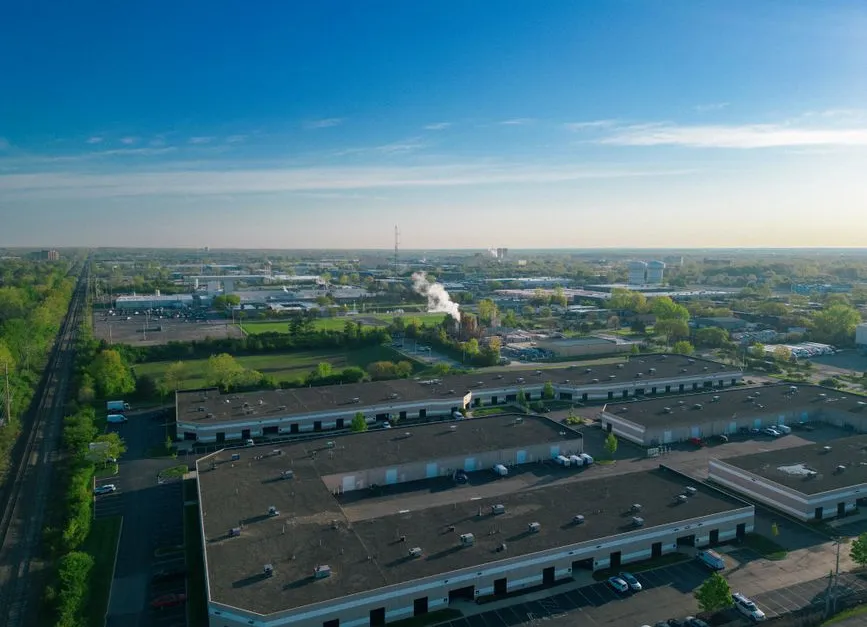
Smart industrial parks, security from gate to fence
AI cameras for factories and industrial parks: face recognition at gates, PPE checks, smoke and fire alerts, perimeter intrusion warnings.
Industry challenges
A warehouse fire with no idea where
Wood, paper and chemical warehouses ignite easily from electrical faults or overheating equipment. Grounds spanning tens of hectares make locating the fire and smoke slow, and every minute counts.
Thin night coverage
Night shifts are staffed lightly and attention runs down. Perimeter fences stretch long; someone climbing over or wandering into restricted zones is rarely spotted in time.
Safety violations are hard to police
Workers doffing helmets and hi-vis mid-shift, entering forbidden zones; a person fallen or unconscious in a quiet area is often found only after the fact.
Busy gates, handwritten logs
Workers and contractor vehicles stream in and out. Restricted zones rest on access cards and gate guards, with no entry record to reconcile when something happens.
Solutions by area
Gates
Workers recognized by face (masks included) and contractor vehicles by plate: on the list, the gate or barrier opens itself (connected to the existing gate system); strangers and unknown vehicles raise alerts. Gate timestamps flow into HRM as attendance; a combined rule lets only people on the list wearing helmet and hi-vis into production areas.
Production areas and lines
Cameras flag anyone missing a helmet or hi-vis inside drawn zones; alert on people entering forbidden areas; detect falls or someone lying on the floor in quiet areas so medical staff arrive in time.
Wareyards and fire safety
Smoke and fire detected by a dedicated AI model (separate license) and reported with the exact camera and map position; nuisance sources like exhausts and chimneys are drawn as exclusion zones, with confidence and sensitivity tuned per camera. Event video exports as evidence for management and authorities.
Perimeter and forbidden zones
Virtual fences drawn around the perimeter, secure and hazardous zones: any person or vehicle crossing raises an alert with images and the camera position; when needed, the subject's path is rebuilt across cameras along the line (cross-camera tracking, separate license).
Operations office
Office staff clock in and out by face with attendance flowing into HRM; factories across the park watch centrally through Vaidio Command Center.
Can be enabled later
Detects objects left behind at warehouses and yards: pick the object type upfront and get an alert when it sits unattended past the set time. Camera health monitoring shows instantly which camera in the plant is blocked, misaimed or offline.
What you get
Every entry and every safety alert in the plant leaves data behind for management and reconciliation.
Gates run on data
People and contractor vehicles log in and out by face and plate; strangers and unknown vehicles raise alerts with images. Handwritten books give way to searchable history per person and per vehicle.
Safety violations have evidence to act on
Missing helmets or hi-vis in production areas is captured with timestamp and line; falls in quiet areas alert so medical staff arrive in time.
Fires known early, at the right spot
Smoke and fire in warehouses are caught by the dedicated model, reported with camera and position; nuisance zones like exhausts are excluded, keeping alerts clean.
Perimeter watched without breaks
Virtual fences around the perimeter and forbidden zones never blink; any person or vehicle crossing raises an alert with images and position, independent of shift schedules.
Many plants, one center
Cameras across the park's factories come together in Vaidio Command Center; office hours are recorded by face and flow into HR software.
How deployment works
Step 1
Plant survey
Check cameras at gates, lines, warehouses and the fence line; identify areas needing auto-open doors, forbidden zones, gate equipment and the HR software in use.
Step 2
Configure by area
Load staff and contractor vehicle lists; draw PPE zones, virtual fences and smoke and fire exclusion zones; set alert schedules around production shifts.
Step 3
Connect existing systems
Gates and barriers open by face and plate through the systems already installed; attendance flows into HR software; alerts reach the mobile app and email, with optional sirens, lights and speakers.
Step 4
Training and handover
Safety, security and operations staff learn to triage alerts and export reports; support continues until every plant runs steadily.
Infrastructure requirements: IP cameras from 720p, 2MP recommended. The server sits at the park's operations office or the plant. Existing cameras, recorders and network stay as they are.
Related features
Put AI Vision to work in your operations
Turbo Solutions surveys your current system, demos against your real operating scenarios and quotes by scope of work. No disruption to daily operations.
Book a demo