
AI video analytics · Schools
Smart schools: gate and campus security
AI cameras for schools: students and teachers recognized at the gate for attendance, stranger alerts, crowd warnings and bus list matching.
Industry challenges
Roll call eats teaching time
Calling names and signing sheets every period, every class: teachers lose time, proxy signatures slip through, and paper records go missing.
Strangers and incidents on campus
The school gate is wide and hard to screen person by person. Students crowd in hidden corners; dangerous objects come inside. The school usually learns after the fact.
Crush points at busy hours
Dismissal, the canteen and the yard get packed. A student faints or falls on the yard, or falls asleep in the library and gets locked in. A slow discovery turns serious.
School buses run on trust
A child boards the wrong bus or is left on board at the last stop; buses and parent cars pass the gate without any check against the registered list.
Solutions by area
School gate
Students and teachers recognized by face as they pass; anyone not on the list raises an alert. Counts entries and exits, detects falls and flags dangerous objects such as guns and knives at the checkpoint (separate license).
Classrooms and library
The door camera records listed students with timestamps, replacing roll call; a rule alerts when a child passed the gate but never appears at the classroom camera during class.
Yard and canteen
Crowding alerts help the school stagger dismissal; unusual gatherings and falls are reported instantly to security and the school nurse.
School buses and vehicle gate
On board: an edge device recognizes faces as students get on and off; a second edge device, scheduled after the route ends, alerts if anyone is still on the bus, sending word home over a mobile connection. At the gate: bus and parent vehicles are matched against the school's registered list, listed vehicles are logged or open the barrier (connected to the existing gate system), unknown vehicles alert security.
Can be enabled later
Smoke and fire detection in storage rooms and the canteen with a dedicated AI model (separate license). Privacy protection: when enabled, student faces in lookups, alerts and exported images are blurred, with an unblur permission for those who need it. Camera health monitoring shows instantly which camera is blocked, misaimed or offline.
What you get
Every pass in and out and every event on campus is recorded so the school knows each day.
Automatic attendance at gate and classroom
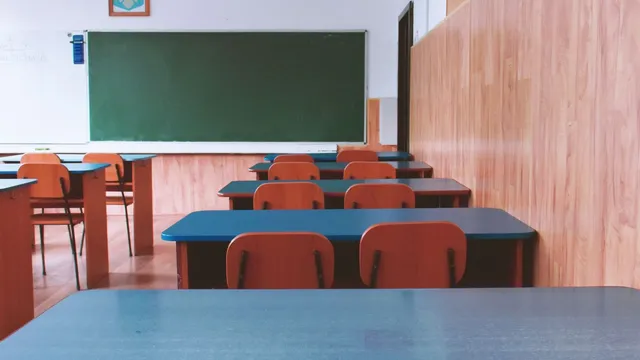
Students passing the gate and entering class are recorded by face with timestamps. A preset rule flags when a child passed the gate but never showed up in class.
Strangers stopped at the gate
Anyone off the school list appearing at the gate alerts security with images; dangerous objects such as guns and knives are caught at the checkpoint.
Busy hours still manageable
Crowded areas and unusual gatherings alert so the school can stagger arrivals and dismissals; a fall on the yard or in the canteen reaches security and the nurse immediately.
School buses tracked by data
Every boarding and drop-off is recorded by face on the bus; after the route ends, the system alerts if anyone is still on board.
The school knows its campus daily
Entries, alerts and daily events come together in one view; recorded video is searchable whenever an incident needs clarifying.
How deployment works
Step 1
Campus survey
Check cameras at the gate, classroom doors, yard, canteen and on the buses; pin down class hours, dismissal times and the bus routes to manage.
Step 2
Configure by area
Load lists of students and teachers; set gate and classroom attendance rules, crowd zones and per-route bus schedules.
Step 3
Connect existing systems
Alerts reach security and the office via mobile app and email, with optional Zalo, SMS, Telegram and a siren at the gate; attendance data flows into the school's management software.
Step 4
Training and handover
Security, the office and bus staff learn to triage alerts and export reports; support continues until the system runs steadily through the school year.
Infrastructure requirements: IP cameras from 720p for face recognition; school buses use Edge devices with a mobile connection, one feature per device for about 4 cameras. Existing cameras, recorders and network stay as they are.
Related features
Put AI Vision to work in your operations
Turbo Solutions surveys your current system, demos against your real operating scenarios and quotes by scope of work. No disruption to daily operations.
Book a demo