
Smart alerts
Detecting objects left behind in monitored zones
Alerts when an object stays in a zone with nobody present past the set time (1-3,600 seconds). Suits stations, lobbies, school corridors.
The real-world problem
A bag left in a lobby or a box abandoned in a corridor is found only when a patrol passes by. The Object Left Behind engine watches the drawn zone on the camera and reports the moment an object sits unattended past the time you set, so staff can check before it becomes a security risk.
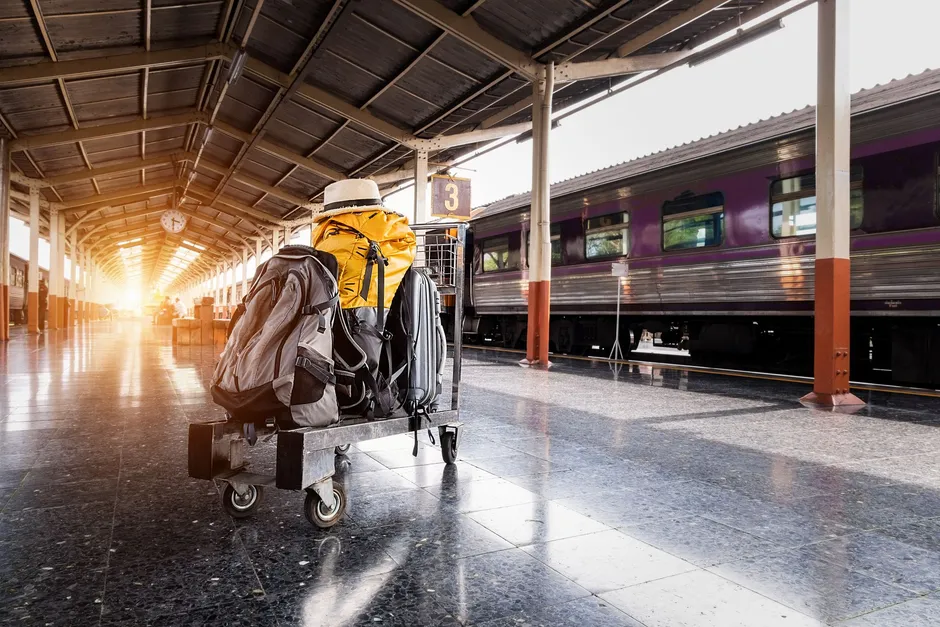
Object left in monitored zone
Station hall · 08:15:42
How it works
01
Draw zones and pick object types upfront
Each camera gets its own ROI and a chosen object type to watch, for example suitcase, backpack or box. Only the selected type fires events in that zone; zones can switch on by schedule for the hours that matter.
02
Alert when the object stays with nobody around
An event fires when the object sits in the zone with no person present past the set time, from 1 to 3,600 seconds. Someone entering the zone resets the tracking, so the feature suits low-traffic areas; in busy spots, draw a small zone over exactly what needs watching.
03
Scheduled alerts with duplicate suppression
A cooldown between alerts keeps a motionless object from alarming repeatedly; anti-duplicate mode alerts again only after the object leaves the zone and returns. Events appear on the dashboard, are searched by camera and time window, and export to Excel.
Real-world applications
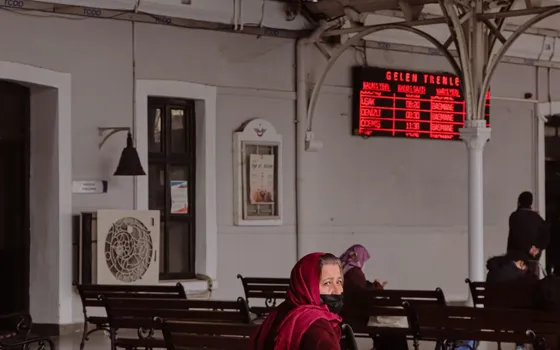
Stations, bus terminals, waiting halls
Suitcases and bags left in seating areas alert with event images so staff can check before it becomes a security risk.

School corridors and grounds
Belongings left in corridors and yards after class are recorded; an object staying past the set time alerts security to handle it.

Warehouses and plants
Boxes dropped off the rack flow or pallets left in walkways are detected for timely clearing, keeping escape routes open.

Building corridors after hours
Switch alerts on by schedule after closing: anything left in corridors or bike areas alerts, since events only fire when nobody is in the zone.
What you get
Left-behind objects reported early
A suitcase, backpack or box sitting in the zone with nobody present past the set time fires an event with images, without waiting for the next patrol.
Only the chosen object types tracked
The object type to watch is picked upfront per zone; other types never fire events in that zone, cutting false alerts.
Motionless objects do not alarm repeatedly
The cooldown between alerts is configurable; anti-duplicate mode alerts again only after the object leaves the zone and returns.
Event records searchable by area and time
Events appear on the dashboard, are searched by camera and time window, and export to Excel as evidence for security reviews.
How deployment works
Step 1
Survey the areas to watch
Map waiting halls, corridors and bike areas; favor low-traffic areas, and in busy spots draw a small zone over exactly the spot to watch.
Step 2
Pick the deployment shape
On-site server or edge devices for areas with few cameras; decide who receives alerts for each area.
Step 3
Draw zones, pick object types and set schedules
Each camera gets its own ROI, a chosen object type (suitcase, backpack, box), a maximum unattended time and an on-schedule for the hours that matter.
Step 4
Tune and operate
Start with a short time setting and lengthen it to match the security team’s handling process; review false alerts and tighten the zone.
Infrastructure requirements: IP cameras from 720p, 2MP recommended, ONVIF or RTSP, existing cameras stay in place. On-site server or edge devices.
Frequently asked questions
How is this different from Scene change detection?
Scene change detection needs nothing declared upfront and reports any unusual change from the normal baseline: objects appearing, disappearing, moving, damage, leaks. Objects left behind is a separate engine: pick the object type in advance and alert only when it sits unattended with nobody present past the set time. The two solve different problems and run side by side on one system.
Do people passing through the zone cause false alerts?
An event fires only when the object stays in the zone with no person appearing past the set time; anyone entering resets the tracking. That makes the feature suit low-traffic areas; in busy spots, draw a small zone over exactly the spot to watch.
Does a motionless object get reported over and over?
No, because a cooldown between alerts is configurable. Anti-duplicate mode alerts again only when the object leaves the zone and comes back; with it off, the system repeats on the cooldown, from 10 to 3,600 seconds.
How long must an object stay before an alert?
The business sets the time: the object must sit in the zone with nobody present past it, from 1 to 3,600 seconds.
Related features
Put AI Vision to work in your operations
Turbo Solutions surveys your current system, demos against your real operating scenarios and quotes by scope of work. No disruption to daily operations.
Book a demo