
Search & investigation
AI object detection: people, vehicles and things in video
AI object detection on existing cameras: people, vehicles, animals and objects recognized and stored for search by type, color and count.
The real-world problem
Cameras record around the clock but leave only reels of footage: finding when the white truck entered the gate or how many people crossed a restricted area still takes someone scrubbing through video. Vaidio AI Vision detects and classifies people, vehicles, animals and objects on every frame, then stores them as searchable data.

Car · Motorcycle · Person
Detected in one frame · 14:32:05
How it works
01
Draw observation zones and pick object types
Each camera gets a region of interest (ROI) drawn right on its frame; only objects inside the zone are recognized. Then pick the object types to track along with minimum and maximum size and a confidence threshold: the higher the threshold, the more precise but fewer the results. Object types you do not select cannot be searched, so per-location configuration keeps data lean and on target.
02
AI recognizes continuously, storing searchable data
Object detection starts as soon as a video source is connected and the camera enabled, with no per-event handling. Every detection is stored as metadata with type, color, count, timestamp and camera. By default the system records moving objects; recognition of stationary objects, for example parked vehicles, can be enabled as well.
03
Search by type, color, count or sample image
The search screen filters by camera, time range, ROI and object type, with color and count attributes; you can upload a sample photo or video to find scenes with similar objects. Important events get hashtags for quick recall, filter combinations can be saved for reuse, and results export to .xlsx for reporting. With the Natural Language Enhancement module (separate license), object descriptions can be written in plain natural language.
04
Set alert rules by object
Alerts are set by object type and attributes, including combined conditions: detect a type with or without another, for example a person without a backpack. Each rule carries its camera, ROI, active schedule and cooldown between alerts. Notifications reach the dashboard, mobile app and email; connects to Zalo, SMS, Telegram and on-site sirens, lights and speakers.
Real-world applications
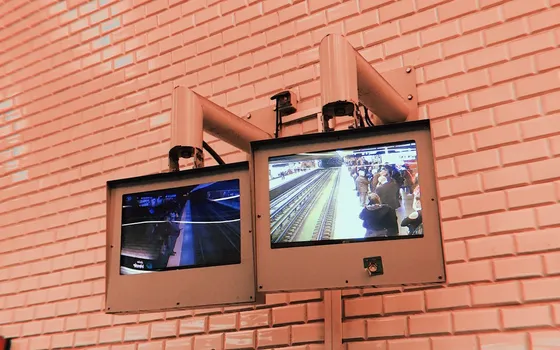
Post-incident tracing
Find objects by type, color, time window and area across many cameras; upload a sample image to find similar scenes instead of watching entire recordings.
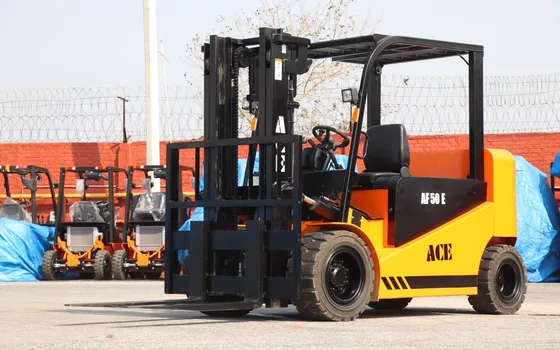
Factories, warehouses, industrial parks
Watch vehicles and people inside drawn zones; alert on unwanted appearances such as animals or off-hours vehicles on a preset schedule.
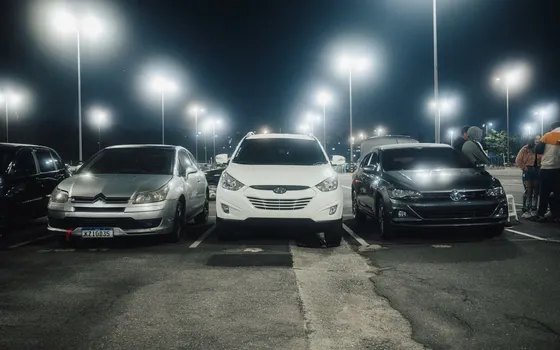
Parking lots and gates
Classify vehicles by type and color right from the gate camera; combine with plate or make-and-model recognition (separate license) when detailed tracing is needed.
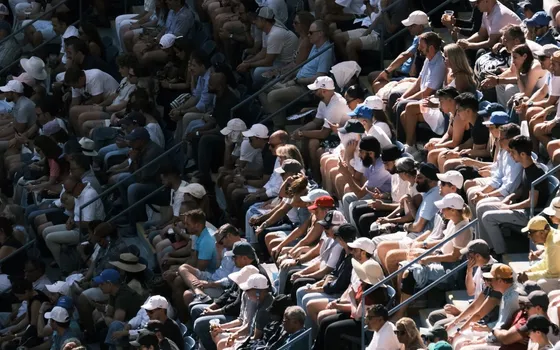
Crowded places: schools, hospitals, malls
Head-based recognition when bodies are occluded in crowds. With privacy protection enabled, people in results are blurred; only authorized accounts can unblur.
What you get
Recordings become searchable data
People, vehicles, animals and objects in every frame are stored as metadata with type, color and timestamp, so lookup takes seconds instead of manual scrubbing.
Trace an object from one sample image
Upload a sample photo or video to find similar scenes across many cameras, filtered by time window and area of interest.
Unusual objects alert through rules
Rules are set by object type with combined conditions and per-camera schedules, for example detecting vehicles outside working hours.
A shared foundation for AI features
Object detection ships with every analytics engine of Vaidio Core, backing face recognition, plate reading and smoke detection on the same video feed.
How deployment works
Step 1
Survey cameras and lookup goals
Decide which object types each point should track; that drives the ROI to draw and the attributes to keep.
Step 2
Pick the deployment shape
A Vaidio Core server for systems with many cameras needing full-video search; edge devices for remote points that only need alerts.
Step 3
Draw ROIs and configure detection
Draw the area of interest per camera, choose object types with size limits and confidence thresholds; enable still-object mode to watch parked vehicles.
Step 4
Tune and operate
Adjust thresholds against real results at each position, save frequently used filter combinations and export periodic reports.
Infrastructure requirements: IP cameras at 2MP or better per the general recommendation, connected over ONVIF or RTSP, integrating with the 30+ VMS/NVR systems in use. Vaidio Core server or edge devices by scale.
Frequently asked questions
How does AI object detection in video work?
The AI analyzes every frame of the stream, detecting and classifying objects inside the drawn ROI (people, vehicles, animals, objects) and storing results as metadata with type, color, count, timestamp and camera. That is why search and filtering come back in seconds rather than a manual review.
How is this different from ordinary camera management software (VMS/NVR)?
VMS/NVR records and plays back video, so finding an event still needs a human watcher. Vaidio adds the AI layer on top: it understands image content and tags objects by type and attribute for instant, seconds-fast lookup, while integrating with more than 30 VMS systems.
Do we need to replace cameras or buy new hardware?
Vaidio runs on new or existing IP cameras and integrates with more than 30 VMS/NVR systems, so no camera rip-out is needed. Server capacity depends on camera count and active engines; Turbo Solutions surveys the current system and proposes the configuration.
Which object types are recognized?
The main groups are people, vehicles, animals and objects. Dangerous items such as knives and guns need the Specialized Object engine; smoke and fire need the dedicated AI model. The exact object list depends on the AI model in use and can be extended.
Are advanced attributes like age, gender, clothing, plates and vehicle makes built in?
Search by object type, color and count ships with the standard Vaidio Core package. Advanced attributes (clothing, age, gender via the Human Attributes engine; masks; plates; make and model; face recognition; cross-camera tracking) each need their own license.
Related features
Put AI Vision to work in your operations
Turbo Solutions surveys your current system, demos against your real operating scenarios and quotes by scope of work. No disruption to daily operations.
Book a demo