
Smart alerts
Scene change detection: instant alerts on anything unusual
AI cameras recognize objects appearing, being taken or moved within the frame and alert at once, watching 24/7 with nobody at the screen.
The real-world problem
In warehouses, plants and restricted areas, many changes are found only when someone walks past: goods moved, equipment taken, water spreading on the floor, debris blocking a walkway. Vaidio AI Vision compares every frame against the normal scene model and alerts the moment something unusual appears, without any object type declared in advance. Outdoors it catches fallen trees, rocks, landslides and flooding blocking the road.

Alert: new object in ROI
Warehouse B · 14:32:05
How it works
01
Connect existing cameras, draw ROIs
Each camera gets its own region of interest, with no need to declare object types or events upfront. When first enabled, the system needs at least 10 stable minutes of an unchanged scene to learn the normal baseline for comparison.
02
AI compares each frame with the baseline
The system matches the current picture against the background model of the normal scene and flags the unusual: new objects, objects moved or missing, damaged fixtures, liquid leaks. Two sensitivity levels: local per-object change and zone-wide change.
03
Alerts with event images
The minimum duration of a change is configurable (vendor recommends 5 seconds or more): a change must persist long enough to count, so passing vehicles and people never alert. ROIs can switch on by schedule when needed. Unusual changes alert immediately, and transient object types such as people can be excluded from triggering.
Real-world applications
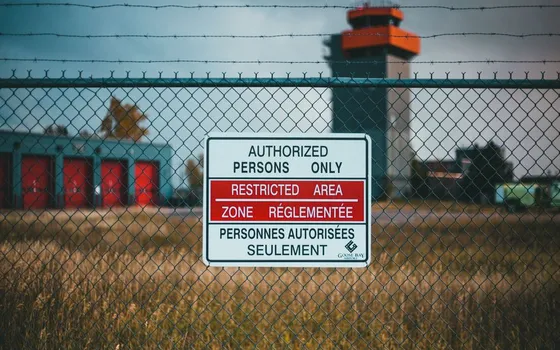
Foreign objects in forbidden zones
Boxes or debris appearing on escape routes, objects dropped on internal roads alert with images even with nothing declared in advance.
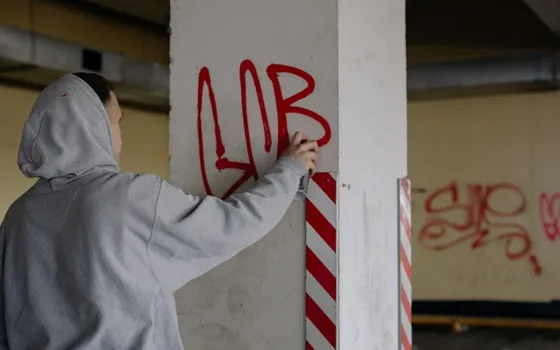
Vandalism and asset damage
Broken gates, smashed equipment, graffiti on walls change the scene and are caught at once, serving as both alert and evidence.

Leaks and spreading liquid
Water or oil slowly spreading on warehouse and server-room floors is caught thanks to gradual-change tracking, so the area can be isolated in time.
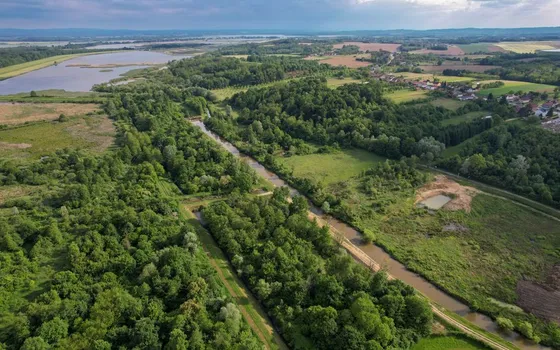
Roadblocks and outdoor infrastructure
Fallen trees, rocks, landslides, flooding or dropped tires and boxes blocking the route are picked up by existing cameras, replacing manual patrols.
What you get
Unusual changes alert with images
Objects appearing, moving or going missing inside the ROI fire events with images to the dashboard, mobile app and email right away.
Continuous watching instead of foot patrols
Cameras watch the ROI around the clock and operators respond to alerts instead of walking each area on a round.
Noise stays under control
Passing people and animals are excluded and a change must persist past the set duration, so foot traffic and passing vehicles never alert.
Events kept as evidence
Every event keeps its images in the system, searchable by camera and time window for after-the-fact review.
How deployment works
Step 1
Survey the area and pick cameras
Define the zones to watch on existing cameras connected over ONVIF or RTSP and check where an extra angle is needed before enabling.
Step 2
Draw ROIs and learn the baseline
The system needs at least 10 stable minutes of an unchanged scene to learn the baseline; exclude object types that pass through often.
Step 3
Set duration and schedules
Set the minimum change duration at 5 seconds or more per the vendor recommendation; switch ROIs on by schedule when needed.
Step 4
Tune against real conditions
Raise the recognition threshold for outdoor cameras with shifting light, keep shaking foliage out of the ROI, and refine using the first week of alerts.
Infrastructure requirements: Existing cameras connect over ONVIF or RTSP and analysis runs on the Vaidio Core server; no camera replacement or separate sensors needed.
Frequently asked questions
Do shaking leaves, weather and passing people cause constant alerts?
People and animals passing are the most common false sources, so these object types can be excluded: changes they cause never fire events. A change must also persist past the set duration to count. Outdoor cameras with shifting light get a higher recognition threshold, and ROIs avoid trees that shake constantly.
Can it work if we don't know what to watch for?
Yes. No object type or event needs declaring upfront. The system alerts on any unusual change inside the ROI and is tuned gradually against real operations.
In busy areas, how do we alert only on strange objects?
Exclude people from triggering: changes caused by foot traffic never fire events; the system reports only objects appearing, disappearing or being moved. The comparison scope is narrowed to the drawn ROI.
Does it catch slow changes like leaks and graffiti?
Yes. Beyond sudden changes, the system detects gradual accumulation over time such as spreading leaks and graffiti. The history-tracking parameter is set to how long the phenomenon takes to become visible, for example about 50 minutes for a slow stain.
What if we specifically need objects left behind or taken?
Taken items are already this feature's job, for example equipment missing from a server room. Objects left behind use the separate Object Left Behind engine: choose the object type in advance (suitcase, backpack) and get an alert when it sits unattended past the set time (1-3,600 seconds). That engine suits low-traffic places like corridors and station halls.
Related features
Put AI Vision to work in your operations
Turbo Solutions surveys your current system, demos against your real operating scenarios and quotes by scope of work. No disruption to daily operations.
Book a demo