
Access control
Counting people and vehicles on the cameras you own
Real-time people and vehicle counting on existing cameras, with statistics by hour, gate and vehicle class. Counting accuracy of 95%.
The real-world problem
How many customers came today, which hour was busiest, how many vehicle passes: ask three departments and get three different numbers, each counted by hand their own way. When an entrance overloads or someone walks against the flow, nobody finds out in time. Vaidio AI Vision counts automatically, 24/7, on existing cameras, with statistics ready by hour, gate and object type.

Gate A · In 86 · Out 74
Today · 14:32:05
How it works
01
Connect cameras and draw counting lines
Cameras at stores, gates and lobbies connect to Vaidio AI Vision. The counting line sits mid-frame with clear space on both sides so the system keeps tracking objects; each line counts up to 10 object types at once (person, car, bus, bag...) with in, out or one-way direction.
02
AI counts people and vehicles in real time
The system tracks each object across frames and adds a count as it crosses the line in the in or out direction, at 95% counting accuracy; the number currently inside (occupancy) updates in real time. Placing the line as recommended keeps objects from dropping out of tracking, since a lost track is not counted.
03
Threshold alerts and hourly statistics
Alert rules include: occupancy above or below a threshold, in/out counts past a mark in a preset cycle (1-10 minutes), wrong-way movement, or dwelling too long or too briefly in a zone, with a cooldown between alerts to avoid flooding. The daily reset time is set by clock hour; data filters by hour, day and camera position, and connects to Power BI through Vaidio Data for reporting and analysis.
Interaction diagram: the full operating flow
The diagram displays best on desktop; on mobile it can still be viewed by dragging and zooming.
Real-world applications
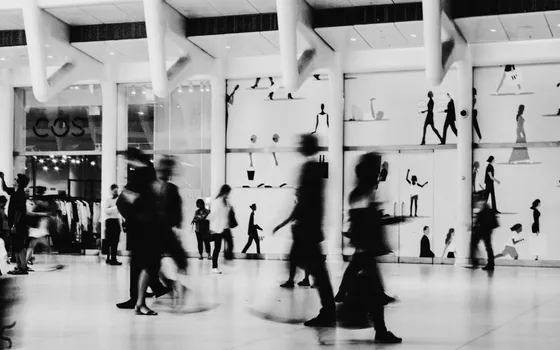
Retail and shopping centers
Know customer trips by hour and by store, measure checkout queue time and dwell per area to schedule shifts, speed up service and pick the right hours for promotions.
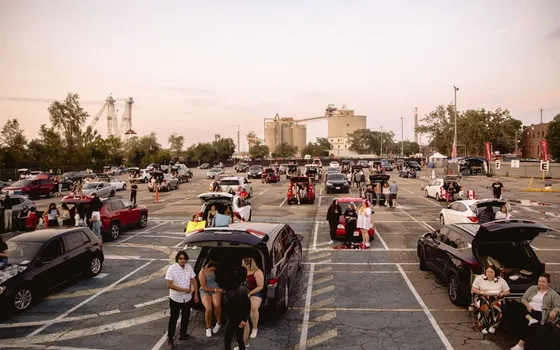
Parking lots
Counts vehicles in and out in real time and warns as the lot nears capacity, so drivers are not waved in only to find it full.
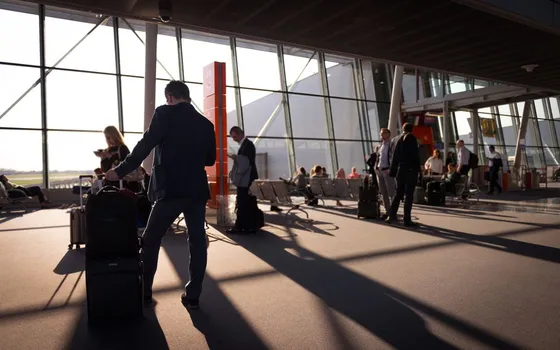
Airports, hospitals, events
Tracks foot traffic at gathering points, flags overly long dwell to staff, opens extra lanes and reroutes flow in time.
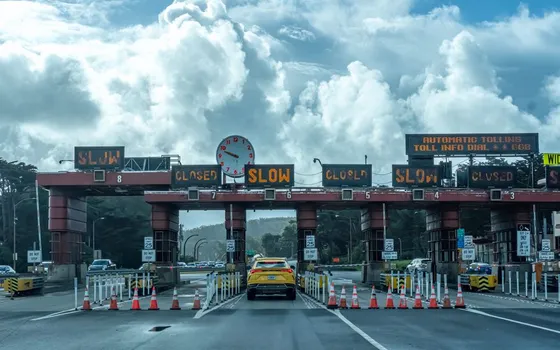
Traffic and toll stations
Counts vehicles by class, feeding congestion analysis, peak-hour statistics and planning.
What you get
One counting source for every department
People and vehicles are counted automatically on existing cameras; every department reads the same table by hour and gate instead of hand counts.
Overloaded entrances noticed in time
Presence and in/out thresholds are set per counting line; alerts carry a cooldown between two notifications so teams are not flooded.
Parking warned before it is full
Current occupancy updates in real time; set the threshold to vehicle capacity and redirect drivers before they drive in to search.
Numbers ready for reports
Counting history views as charts and exports to .xlsx; with Vaidio Data, figures connect into Power BI for management reports.
How deployment works
Step 1
Survey gates and flows
Map the entrances to count, camera angles and where alerts should arrive; counting lines need clear space on both sides to track objects well.
Step 2
Pick the deployment shape
Server at the store, building or station; a standalone point with few cameras and no local network can use an edge device that reports events over mobile networks.
Step 3
Draw lines and set alerts
Connect cameras over ONVIF or RTSP, draw counting lines mid-frame, pick object types and in/out directions, then set thresholds per gate.
Step 4
Tune and operate
Cross-check each line against a manual count first, adjust line placement per recommendations, then roll out to the remaining gates.
Infrastructure requirements: Entrance and gate IP cameras from 720p, 2MP recommended, over ONVIF or RTSP; server at the store, building or station, existing cameras stay.
Frequently asked questions
Is camera counting accurate in dense crowds?
The model detects and tracks each object before counting, at 95% accuracy, so dense foot traffic still resolves into individual trips. Results are best when the line sits mid-frame with clear space on both sides; several lines across different gates can be drawn to cross-check.
Where do we view counts, and can we export reports?
The counter shows in/out totals and current occupancy per line, object type and camera; history views as charts or lists with automatic period-over-period comparison. Data exports to .xlsx; with Vaidio Data, connect Power BI for deeper analysis or internal reports.
Can it alert on overcrowding or wrong-way vehicles?
Yes. Occupancy thresholds are set per counting line and camera (a parking capacity, for example); alerts repeat on a preset cycle when in/out counts pass the mark. Wrong-way detection uses a dedicated pair of correct/incorrect direction lines; dwell rules (1-1,200 seconds) create events when an object stays too long or too briefly in a zone.
Related features
Put AI Vision to work in your operations
Turbo Solutions surveys your current system, demos against your real operating scenarios and quotes by scope of work. No disruption to daily operations.
Book a demo