
Smart alerts
Loitering, falls and wrong-way detection from cameras
Detects loitering past the allowed time, falls, wrong-way movement and crowds on existing cameras, alerting instantly.
The real-world problem
Many incidents begin with an odd behavior: someone standing too long by a warehouse door, a patient falling in a quiet corridor, a vehicle driving against the flow in a lot. The duty officer cannot watch every screen at once. Vaidio AI Vision tracks four behavior types with dedicated engines and alerts on the cameras you already have.
Loitering: 4m 12s · threshold 3m
Warehouse door B · 22:41:08
How it works
01
Loitering: staying past the allowed time
Draw tracking zones around entrances, warehouse doors and high-value counters; pick the object type (person, vehicle) and a time threshold from 1 to 1,200 seconds, 30 by default. An object staying past the threshold creates an event with the exact dwell time. One zone tracks multiple object types.
02
Wrong-way movement
Draw correct-direction and wrong-direction lines right on the camera view, for example one-way lanes in a parking lot or exit-only doors. People or vehicles moving the wrong way are recorded and alerted; one line tracks multiple object types.
03
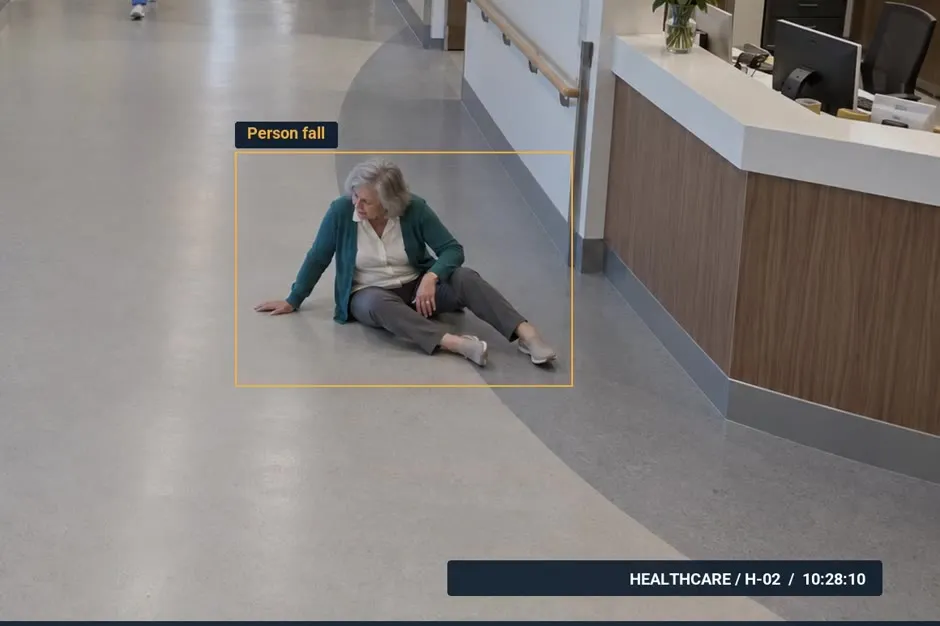
Falls
Draw tracking zones in corridors, patient rooms and quiet areas. The system detects a fallen person; optionally count bending down or sitting as events too, or exclude both postures to avoid false alerts. Sensitivity is tuned per camera. The camera must see the whole body and must not point straight down.
04
Crowd gathering
Counts the people in each zone and alerts past a per-area threshold, in time to coordinate before overload. Threshold setup and counting modes are described in the Crowd detection feature.
Real-world applications
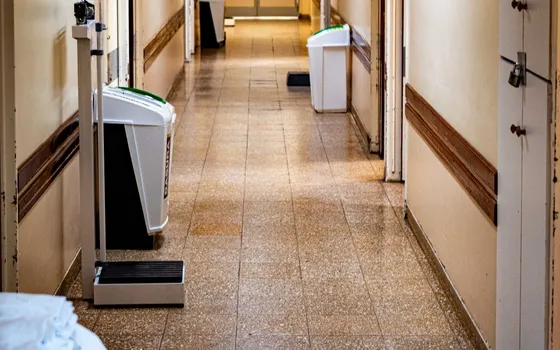
Hospitals and care homes
Patients and the elderly falling in corridors and rooms at night are detected and reported to the duty nurse with images and camera position.
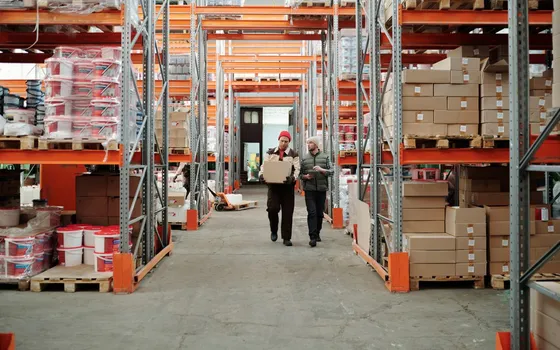
Warehouses and stores after hours
Someone lingering by the warehouse door or high-value counter past the threshold alerts security for a check, before any loss happens.
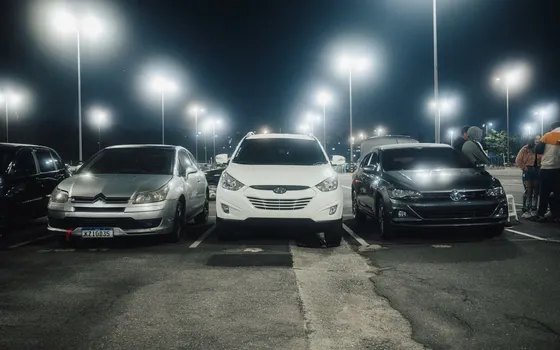
Parking lots and internal roads
Wrong-way vehicles in one-way lanes, exit gates and factory roads are alerted for a timely reminder, avoiding collisions.
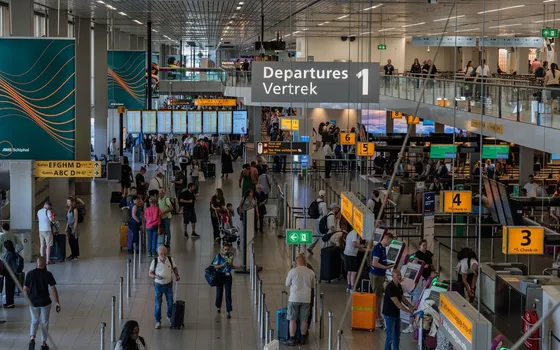
Stations, airports, buildings
People entering through exits and one-way controlled doors are recorded; at peak hours, over-crowded areas alert so more lanes can open.
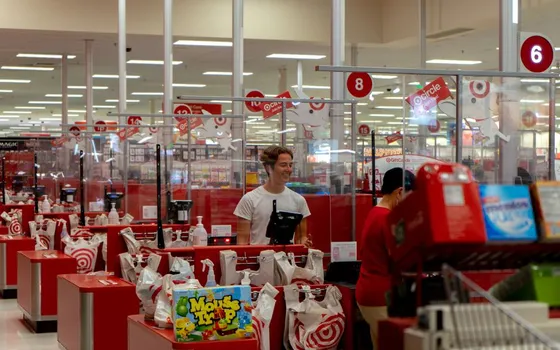
Service and checkout counters
Measures how long customers wait in line; anyone waiting past the set level alerts so another counter opens.
What you get
Incidents known during the shift, not on replay
Falls, loitering, wrong-way movement and crowd build-ups alert immediately with images and camera position to the area owner.
Time thresholds set per area
Long for lobbies, short for warehouse doors after hours; anyone staying in a zone past the threshold creates an event with the exact dwell time.
Falls detected in quiet areas
Corridor and patient-room cameras watch 24/7; a fall always counts as an event, while bending and sitting can be switched per area to avoid false alerts.
Complete event records for review
Every event keeps images and a clip; history filters by camera, event type and time range, and exports to Excel for reporting.
How deployment works
Step 1
Survey the behavior-risk areas
List quiet corridors, warehouse doors, one-way lanes and checkout counters; check that cameras in fall-detection areas see the whole body.
Step 2
Pick the deployment shape
On-site server or edge devices for areas with few cameras; decide who receives alerts for each area and through which channel.
Step 3
Draw zones, lines and set thresholds
Loitering zones, correct/wrong-direction lines and fall zones are drawn per camera; time thresholds and schedules are set per area; connect sirens and lights if needed.
Step 4
Tune and operate
Pilot each detection type, review false alerts and tighten sensitivity and thresholds; each feature is licensed separately, advised per position.
Infrastructure requirements: IP cameras from 720p, 2MP recommended, ONVIF or RTSP, existing cameras stay in place; fall-detection areas need the whole body in view, never mounted straight down. On-site sirens, lights and speakers plus Zalo or email notifications connect as add-ons. On-site server or edge devices.
Frequently asked questions
Will someone just waiting normally be flagged as loitering?
Time thresholds are set per zone, 1 to 1,200 seconds: long for lobbies, short for warehouse doors after hours. Each zone tracks only the object types that matter, and the cooldown between alerts prevents repeats.
How should cameras be mounted for accurate fall detection?
The camera must see the person's whole body inside the zone and must not point straight down. A fall always counts as an event; bending and sitting are optional, for example disable sitting in rehab areas. Turbo Solutions surveys camera angles before deployment.
Can several detection types run on one camera?
Yes. Loitering, wrong-way, falls and crowds run in parallel on the same stream, each with its own zone or line. Each feature is licensed separately; Turbo Solutions advises per position.
How do we review and report events?
Every event shows live on the dashboard with images and clips. History filters by camera, object type, event type and time range, and exports to Excel for reporting.
Where do alerts go?
Alerts appear on the dashboard and mobile app and arrive by email; Zalo, SMS, Telegram and on-site sirens, lights and speakers connect through HTTP Trigger or API so the responsible person is reached immediately.
Related features
Put AI Vision to work in your operations
Turbo Solutions surveys your current system, demos against your real operating scenarios and quotes by scope of work. No disruption to daily operations.
Book a demo