
Smart alerts
Restricted area control with AI on the cameras you already have
AI alerts on restricted-area intrusions by zone and schedule: server rooms, chemical stores, electrical areas, with photos.
The real-world problem
Locks and card readers stop the main entrance. People still get in another way: tailgating behind a badge holder, asking someone to hold the door, or through a gap in the fence behind the warehouse. A closed door also means losing sight of what happens inside: an authorized person lingering in the server room for hours, or a group squeezing together into an area that allows only one, none of which a lock notices. Areas with headcount limits are harder still. The safety procedure states the maximum number of people, while the actual count inside is tallied by hand or noted in a book and reconciled at shift end. An incident mid-shift only becomes known when someone happens to walk by, or when footage is reviewed days later, after the fact.

Alert: person in server room · 23:41
Server room camera · Restricted after hours
How it works
01
No-go zones and zones open only during work hours
Draw the zone directly on the camera frame: server room, electrical cabinets, chemical storage row, robot work area. An absolute no-go zone alerts whenever anyone steps in. A zone open during working hours follows a shift schedule; after hours, any entry raises an alert. Boundaries along the perimeter fence or barricade around an area alert when someone crosses the zone edge. Areas that must tell specific people apart, such as an electrical room only operating engineers may enter, add face recognition against an allowlist.
02
Cap the number of people in a zone
The system keeps a real-time headcount for each zone. The area owner sets the maximum per the safety procedure in force, for example how many people a chemical store allows at once or how many the machine room permits. When the count touches the threshold, an alert with a photo goes to the person responsible for that zone. Results at each site depend on installation conditions, so cross-check against a manual count during the two-week pilot.
03
Overstays and alerts with photos
Person Tracking follows each person across frames, revealing who lingers at one spot past the set time: standing at an electrical cabinet after hours, circling a storage row repeatedly, resting too long where robots operate. Alerts go through the video management software (VMS) or a phone app to the person responsible for each area, with a photo taken at the moment of the violation, the camera name and the zone involved. The cooldown between alerts at the same spot is set from 0 to 3,600 seconds, so one alert does not repeat nonstop when entries bunch up. Every event is kept with its timestamp for review by area and by hour.
Real-world applications
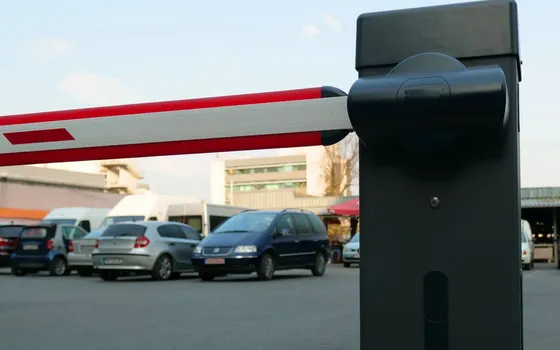
Vehicle gates
License plate recognition logs which vehicle entered and when; it reads Vietnamese plates well, including the two-line motorcycle format.

Chemical storage
Chemical leak sensors combine with the system, which checks the camera image where the sensor alarmed before sending the alert, cutting false alarms.
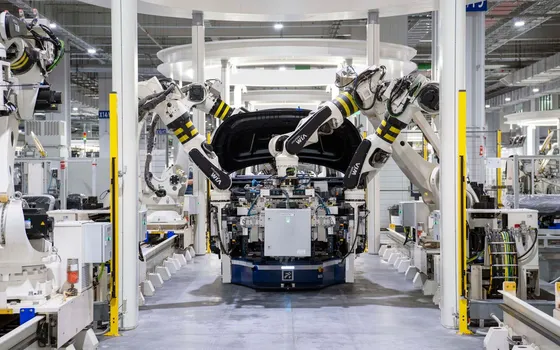
Areas where robots operate
Draw the robot's travel zone or the robot arm's reach, and get an immediate alert when a person steps in while the robot is running.
Fire exits
Left-behind object detection raises an alert when an object sits in the fire exit zone past the set time, so it can be cleared in time.
What you get
Know while it is still happening
Measure the time from an unauthorized entry into a zone to the alert reaching the responsible person, comparing before and after switching on.
Unauthorized entries are fully recorded
Measure unauthorized entries recorded per month by area, instead of discovering them at stocktake or after an incident.
Limited-capacity areas always show a live number
Cross-check the system's displayed count against a manual count during the two-week pilot, then track threshold-exceeded alerts by area.
Data by area and shift to refine procedures
Review alert distribution by area, shift and month to rank which zones to tighten first and pick topics for safety meetings.
How deployment works
Step 1
Survey each area and draw the zones
Walk each area with the person responsible, checking mounting angle, height, lighting and obstructions, then draw the zones on each camera's frame.
Step 2
Configure schedules and thresholds from the existing safety procedure
Absolute no-go areas, areas open only outside work hours, maximum headcounts, dwell-time limits: take the numbers from the procedure in force, not from guesswork.
Step 3
Assign alert recipients per area
Set clearly who receives alerts for which area, over which channel, and who decides the response when an alert arrives.
Step 4
Two-week pilot and zone tuning
Review each false alert to widen, narrow or shift zones and adjust time and headcount thresholds; train the duty team to tell real alerts from false ones.
Infrastructure requirements: Existing cameras work if they are IP cameras from 720p up, connected via ONVIF or RTSP; the recording infrastructure stays unchanged. Deployment completes within a few weeks depending on the number of areas and cameras. For areas far from the main warehouse or without an internal network, an edge device installed on site runs one engine and sends alerts over mobile data.
Frequently asked questions
How many zones can one camera have?
Each camera supports several zones on the same frame, each with its own purpose: an absolute no-go zone, a zone open only during work hours, a headcount zone, a dwell-time zone. On the server at the business's premises, the monitoring groups run in parallel on the same camera. The exact number of zones per position is settled during the survey, depending on the frame and each area's management needs.
Do the cameras already installed work?
They work if they are IP cameras of 720p resolution or higher, connected via ONVIF or RTSP. Analog cameras need signal conversion before they can be used. The server sits at the business's premises; footage is not sent to external cloud services.
Does the system lock doors on its own when it detects an intrusion?
No. The system sends alerts with photos and records the event; handling steps such as calling someone over, isolating the area or stopping work belong to the business's procedures. Automatic doors, barriers or electric locks can be connected to alerts through the existing system. Technically, opening a barrier or door lock is controllable via HTTP Trigger or an API.
How do we allow only approved people in?
Two ways work together. By time: outside working hours, anyone stepping into the zone raises an alert. By person: face recognition is matched against an allowlist, so people on the list pass normally while others trigger an alert. With privacy protection enabled, faces in alerts are blurred, and unblurred data is visible only to authorized accounts.
Related features
Put AI Vision to work in your operations
Turbo Solutions surveys your current system, demos against your real operating scenarios and quotes by scope of work. No disruption to daily operations.
Book a demo