
Platform overview
Vaidio Edge: AI recognition at sites with no server room
A small AI box for sites with no server: face, plate, intrusion and container number recognition. Runs standalone, alerts anywhere.
The real-world problem
Some sites simply cannot host a server: shuttle buses on the road, side gates far from the office, weighbridge stations, container yards outside the compound. A server per site is overkill; leaving them unwatched is worse. Vaidio Edge puts one AI engine in a small box right at the site.
1 engine per device
Vaidio Edge · up to 4 cameras
How it works
01
Pick the engine for the job
Each Edge device runs one AI engine: face recognition, plate reading with make and model, intrusion alerts, container number reading, or object tracking. One device covers roughly 4 cameras.
02
Installed at the site, no server needed
The device runs on Nvidia Jetson in a small chassis, placed in the site's equipment cabinet. Local IP cameras connect directly; zones are drawn and configured right on the device's interface. No server room or GPU rack required.
03
Alerts out, linked to the center when needed
Events alert via messaging apps and email to the responsible person, for example a shuttle bus reporting over a mobile connection. When managing many sites, link the devices back into Vaidio Command Center for one shared view.
Real-world applications
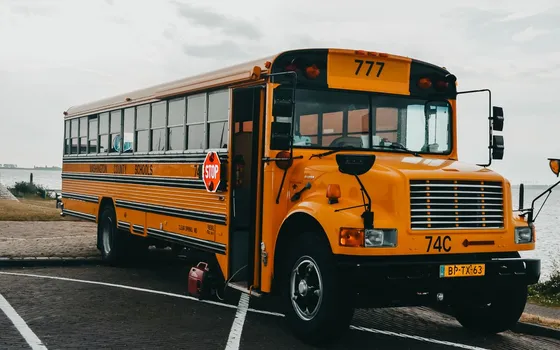
School shuttle buses
Face recognition records students boarding and leaving; a second device runs intrusion alerts after the route ends to catch anyone still on board.
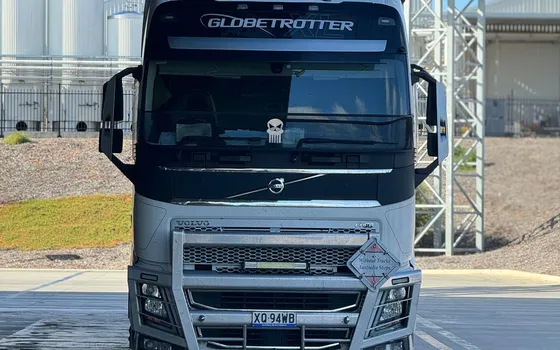
Side gates, weighbridges, outlying warehouses
Reads plates of vehicles in and out, matches the registered list and flags strangers; entry history is reviewed right on the device.
Small sites, parking lots, scattered yards
After-hours intrusion alerts over drawn zones on each camera, sent to the duty person's phone.

Ports and container yards
Reads ISO 6346 container numbers during loading and unloading; cameras at about 2.5 m height with sufficient resolution.
What you get
AI reaches sites without a server
Recognition runs on the device placed at the point: shuttle buses, side gates and weighbridges work without hauling video back to a center.
Alerts reach phones when a connection exists
Events go out via messaging apps and email to the responsible person, including over mobile networks when the site sits outside the corporate network.
One engine per problem, placed exactly there
Face recognition, plate reading with make and model, intrusion alerts or container numbers are placed where needed, with no server at each location.
Many sites roll up to one screen
As the deployment grows, devices link into a Vaidio Core server or Command Center for a shared view across sites.
How deployment works
Step 1
Survey each installation point
Decide which points get edge devices and which get a server, based on camera count and the features needed.
Step 2
Pick the engine for the problem
Each device runs one engine: face recognition, plate reading with make and model, intrusion alerts, container numbers or object tracking.
Step 3
Mount the device and connect local cameras
Place the device in the site cabinet, connect local IP cameras over ONVIF or RTSP, draw zones and configure right on the device interface.
Step 4
Tune and operate
Test alerts end to end from the device to the responsible person's phone, and link sites back to the center when shared management is needed.
Infrastructure requirements: Local IP cameras from 720p, 2MP recommended, up to about 4 cameras per device over ONVIF or RTSP; the device runs standalone without the corporate network and links into Core or Command Center for centralized management.
Frequently asked questions
How do Edge devices differ from a Vaidio Core server?
A Core server runs many features in parallel for many cameras and hosts the full platform; an Edge device runs one feature for a few cameras right at the site. The two work together: Edge sites link into Command Center.
How many cameras and which engines per Edge device?
About 4 cameras per device, one engine at a time: face recognition, plate reading (with make and model), intrusion, container numbers or object tracking.
Does the device need the corporate network?
No. It works with local cameras and sends alerts over a mobile connection; joining the corporate network or Command Center is optional.
What is the deployment process for Edge devices?
Turbo Solutions mounts the device, connects the local cameras, draws zones and configures the engine on the device interface, then tests alerts end to end.
When should we choose Edge versus a server?
Edge suits small, remote or mobile sites needing one feature; a Core server suits sites running many features across many cameras. We advise per site during the survey.
Related features
Put AI Vision to work in your operations
Turbo Solutions surveys your current system, demos against your real operating scenarios and quotes by scope of work. No disruption to daily operations.
Book a demo