
Access control
AI-Checkin: visitor check-in by face on the cameras you already have
AI-Checkin visitor management: pre-registered guests are recognized in the lobby, hosts get notified, every visit logged with a photo.
The real-world problem
A paper logbook at the front desk: the guard writes names, calls upstairs to ask who is expecting the guest, and visitors wait in the lobby. Peak hours create queues, entries go missing by the end of the day, and loaner badges circulate or never come back. AI-Checkin on Vaidio AI Vision works differently: guests are registered in advance with a face photo, the lobby camera recognizes them on arrival, the host is notified, and the door opens when connected to the existing access system.

Recognized: Scheduled guest · ABC Corp
Main lobby · 14:32:05
How it works
01
Register guests before they arrive
Reception or security adds each guest to the list with name, company, host and a face photo. Recurring visitors such as contractors and partners get an expiry date; once it passes, the system removes them from the list automatically, so the door no longer opens for them.
02
Guests are recognized in the lobby
Cameras at the lobby and entrances recognize a guest's face in under a second, masks included. Several faces are recognized at once in a single frame, so a visiting group is logged person by person without queuing to sign in.
03
Notify the host and open the door
When a guest is recognized, the system notifies reception and the host via Zalo or email with the photo and time. Doors, turnstiles or barriers open automatically when connected to the existing access system. Anyone not on the list triggers an alert with a photo for security to check.
Real-world applications
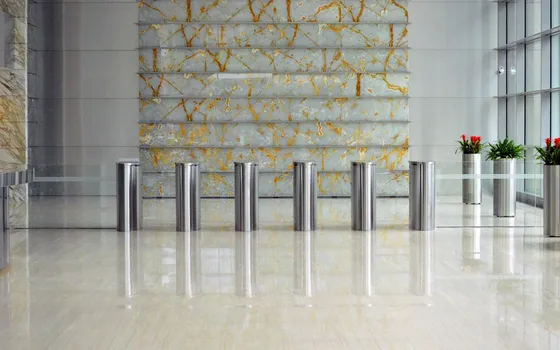
Office towers with several companies
Each company's guests are recognized in the shared lobby and the right host is notified; elevators assign floors by permission when connected to the elevator system. Visitor history is searchable by day and by company.
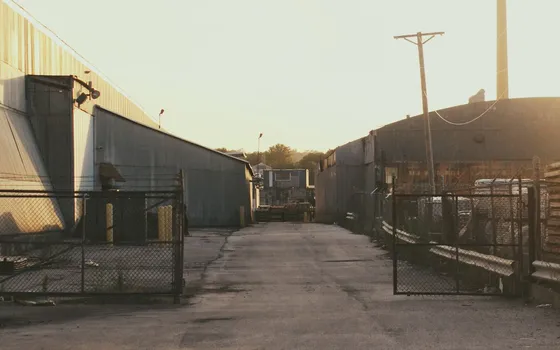
Plants and factories
Technical visitors and contractors entering production areas are logged in and out with photo evidence; delivery trucks are registered by license plate and allowed in only during their scheduled window.
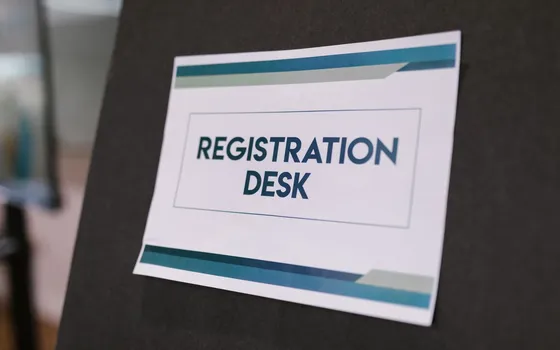
Groups, events and conferences
Several faces are recognized at once in a single frame, so a whole delegation walking through the lobby is logged person by person. Invite lists are imported in advance; no one signs a paper log on event day.

Recurring visitors and long-term contractors
Guests returning several times a month skip the paperwork every visit while each entry is still recorded. When their access window ends, the system removes them and the door stops opening for them.
What you get
Expected guests received without stopping
Guests on the list are recognized at the lobby; the host is notified with a photo and arrival time.
Less guestbook work at reception
The paper guestbook becomes a visit history with photos; search by name, company or time window.
A separate flow for walk-ins
Unannounced visitors register at the desk once with a sample photo; later visits recognize automatically.
Complete visitor records
Every visit keeps a photo and timestamp; export to Excel for reports and security reviews.
How deployment works
Step 1
Survey the lobby and guest flows
Map the main entrance, camera positions, reception desk and how hosts get notified.
Step 2
Pick the deployment shape
Server in the building or edge devices for lobbies with few cameras; visitor data stays on premises.
Step 3
Register regulars and set the walk-in flow
Leasing companies send periodic guest lists; walk-in visitors take one sample photo at the desk.
Step 4
Tune and operate
Tune for lobby lighting, pilot one tower or office before expanding.
Infrastructure requirements: Lobby IP cameras from 720p, 2MP recommended. Reception PCs view notifications; host alerts go out via Zalo or email. Server placed in the building or on edge devices.
Frequently asked questions
What about guests who arrive without an appointment?
Reception or security adds the guest to the list right at the desk: capture one face photo, enter name, company and host, and set an expiry for the day. From the next visit on, the guest is recognized by camera instead of signing the logbook.
Who gets notified when a guest arrives?
Reception and the host receive a notification via Zalo or email with the photo and time; security monitors entries and exits on the dashboard. Sirens, lights and speakers in the lobby can be connected to alert on the spot when someone is not on the list.
How is guest face data stored?
Face photos and visit history stay inside the business's system (on-site server or edge devices). With privacy protection enabled, faces in search results and alerts are blurred, and only authorized accounts can view the originals. Businesses should inform guests before capturing a reference photo, set a retention period and delete data once the purpose has ended.
What does connecting to existing doors require?
Door locks, turnstiles, barriers and elevator floor control receive open signals from Vaidio via HTTP Trigger or API; Turbo Solutions surveys the current access system to choose the integration method. Cameras are the existing ones connected via ONVIF or RTSP; face recognition needs at least 720p.
Related features
Put AI Vision to work in your operations
Turbo Solutions surveys your current system, demos against your real operating scenarios and quotes by scope of work. No disruption to daily operations.
Book a demo